
Guide on how to measure the current supplied by a Ruida PSU to the laser tube.
Necessary Materials:
- Multimeter that can read milliamps.
- Gator clips
- Phillips head screwdriver
Take your multimeter and put your black wire into the COM and red wire into the mA, uA spot.
Disconnect the white wire from the laser head using your Philips screwdriver. Once the wire is out, put the screw back into the laser.
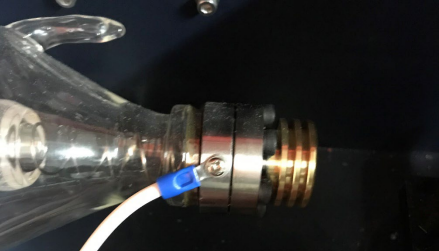
Hook your gator clips to your multimeter and connect your Black COM onto the screw on the laser head and your RED mA wire onto the end of the white wire.
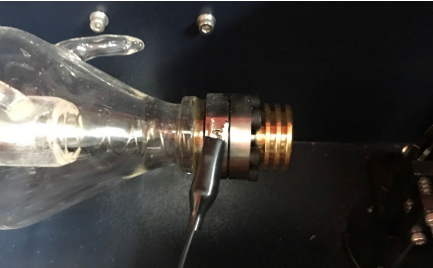
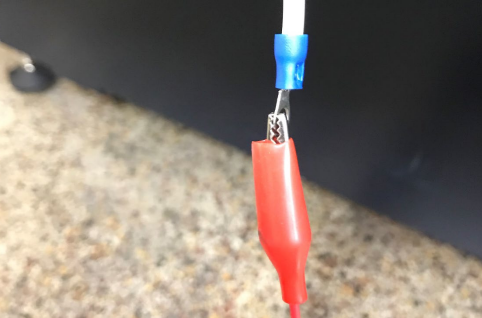
Set your power supply to 200 or above mA (this one is set to 600ma).
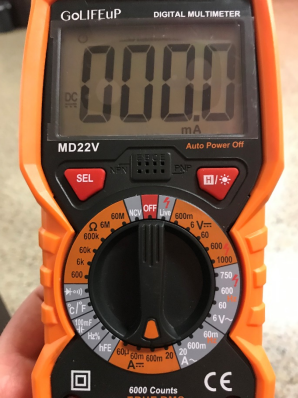
Ruida Controllers (RD Works)
Draw a 12" long line in RD Works or LightBurn, then set to Cut, set your speed to .25 and power to 100. Find a hard non-flammable piece of material such as granite and run the cut while you check the power output of your power supply. Below is a chart of what the mA should be set for based on the wattage of the tube.
| Tube Wattage | Amperage |
|
130 Watt |
29.5 mA |
| 100 Watt | 28.5 mA |
| 90 Watt | 27.5 mA |
| 60 Watt | 22 mA |