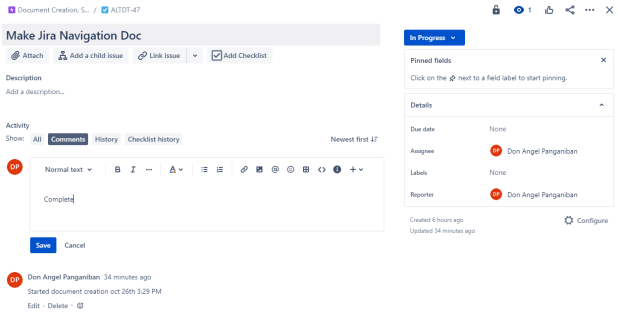
Explanation on how to operate Jira software and create/assign tasks.
Jira is an organizational software utilized to organize tasks within the AP Lazer tech department. It helps you track your own tasks, as well as tasks set by others. For purposes of a support engineer, you will only need to be involved in two project pages; AP LAZER CANADA MFG TASKs and AP LAZER TECH DPT TASKs.
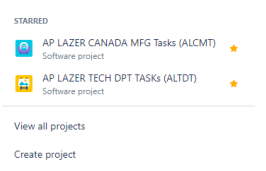
The AP Lazer Canada tasks are tasks for the overall tasks in the Canada location. The tech dept tasks are for all tech department related tasks, which is mostly where you will be putting your tasks as a support engineer. There are 5 categories which will describe the state of the issue. Backlog is for issues to work on when you have free time; generally just tasks that will take awhile to solve. To do is where most important issues will go, and they are issues you have not started yet. When you are working on an issue, you move it to In Progress. When you complete an issue, and it does not need to be reviewed by your supervisor (Chan Hwang), you can move the issue to Done. If the task requires reviewing, put it under Pending. You can easily drag around issues with your mouse. You can also click on a person's icon to filter the tasks according to the person.
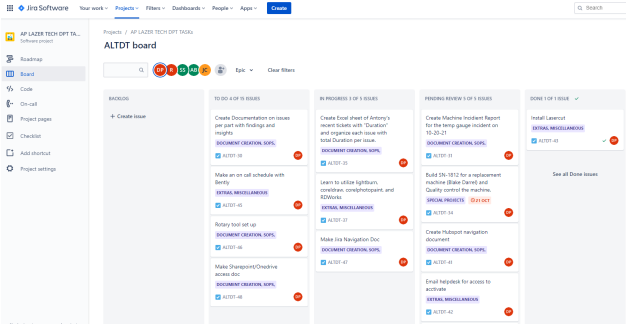
As shown, my tasks are filtered out because I clicked on my name.
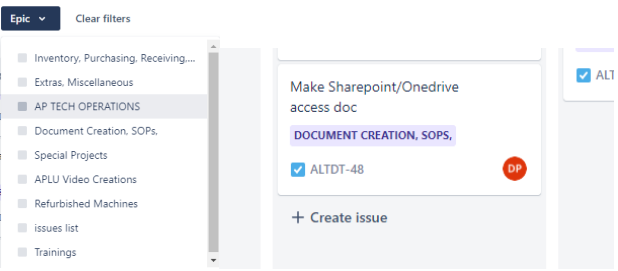
To create a new task, first select an issue type to put the issue under. Select the epic drop down menu and select the appropriate type. Then, go under the category you wish to create the issue under. Click create issue and add the description of the issue. Once complete, press enter to create an issue.
Make sure as you are working on an issue to continuously add update notes to the issue. To do so, click on the ticket, and write a note under comments. Save your comment and you are good to go.